<?xml version="1.0" encoding="utf-8"?><feed xmlns="http://www.w3.org/2005/Atom" ><generator uri="https://jekyllrb.com/" version="3.10.0">Jekyll</generator><link href="https://onyr.net/feed.xml" rel="self" type="application/atom+xml" /><link href="https://onyr.net/" rel="alternate" type="text/html" /><updated>2026-07-22T22:24:28+00:00</updated><id>https://onyr.net/feed.xml</id><title type="html">Onyr.net</title><subtitle>Personal website, portfolio and blog of Florian Rascoussier, AKA Onyr.</subtitle><entry><title type="html">Kayros: an anytime and exact solver, and the Poryos2026 benchmark family</title><link href="https://onyr.net/2026/07/22/kayros-poryos2026.html" rel="alternate" type="text/html" title="Kayros: an anytime and exact solver, and the Poryos2026 benchmark family" /><published>2026-07-22T09:00:00+00:00</published><updated>2026-07-22T09:00:00+00:00</updated><id>https://onyr.net/2026/07/22/kayros-poryos2026</id><content type="html" xml:base="https://onyr.net/2026/07/22/kayros-poryos2026.html"><![CDATA[<p>Two pieces of my PhD work are now public and worth introducing together: <strong>Kayros</strong>, an open-source solver, and <strong>Poryos2026</strong>, a benchmark family it produces solutions for. Their names are a matched pair, borrowed from Greek: Kairos for the right moment (timing), Poros for the way or path. Kayros is about timing, Poryos is about the ways.</p>

<h3 id="kayros">Kayros</h3>

<p><a href="https://github.com/0nyr/kayros">Kayros</a> is an open-source solver for <strong>duration-minimization time-dependent vehicle routing</strong>, covering both the time-window variant (TDVRPTW) and the plain TDVRP. Time-dependent means travel times change with the time of day, so the same trip can take more or less time depending on when you set out. Kayros represents this with continuous piecewise-linear arrival-time functions rather than a coarse time discretization.</p>

<p>To my knowledge it is the first solver that is both <strong>anytime and exact</strong> and open source for this duration-minimization time-dependent setting with a rich piecewise-linear time-dependent representation. It runs in two modes on one engine: an anytime heuristic that returns steadily improving solutions under any time budget, and an exact branch-price-and-cut mode that can certify optimality. The exact side runs on the open-source HiGHS solver, so no commercial license is required.</p>

<p>It is beta (currently version 1.1.3), developed as part of my PhD, and installable from PyPI:</p>

<div class="language-plaintext highlighter-rouge"><div class="highlight"><pre class="highlight"><code>pip install kayros
</code></pre></div></div>

<p>The source is on <a href="https://github.com/0nyr/kayros">GitHub</a> (MIT, Python 3.11+). A technical report describing the method and the engineering behind it is forthcoming.</p>

<h3 id="poryos2026">Poryos2026</h3>

<p><a href="https://mamut-routing.onyr.net/benchmarks/tdvrptw/poryos2026/">Poryos2026</a> is a benchmark family I generated to stress-test time-dependent routing on realistic congestion. Instead of the usual synthetic traffic constructions, its congestion is derived from <strong>real city road networks</strong> taken from OpenStreetMap, across five cities: Lyon, Paris, San Francisco, Hong Kong, and Tokyo. Instances come in six sizes, from 10 up to 1000 customers, under several traffic models and intensities.</p>

<p>The headline set is <strong>360 time-dependent TDVRPTW instances</strong> (720 if you also count the TDVRP view), plus static CVRP and VRPTW projections on top that are directly comparable to the time-dependent ones since they share the same underlying network and customer locations. Each instance ships with a best-known <code class="language-plaintext highlighter-rouge">Duration</code> solution, seeded by Kayros anytime campaigns run on the Grid’5000 cluster. The benchmark data is released under ODbL 1.0, in keeping with its OpenStreetMap origin.</p>

<p>Poryos2026 lives in the MAMUT-routing catalog and is exposed programmatically through the <code class="language-plaintext highlighter-rouge">mamut-routing-lib</code> library:</p>

<div class="language-plaintext highlighter-rouge"><div class="highlight"><pre class="highlight"><code>pip install mamut-routing-lib
</code></pre></div></div>

<p>The family is available there as <code class="language-plaintext highlighter-rouge">BenchmarkName.PORYOS_2026</code>. You can browse the instances, their metadata, and their best-known solutions on the family page: <a href="https://mamut-routing.onyr.net/benchmarks/tdvrptw/poryos2026/">mamut-routing.onyr.net/benchmarks/tdvrptw/poryos2026</a>.</p>

<h3 id="how-they-fit-together">How they fit together</h3>

<p>Kayros is the engine; Poryos2026 is one of the datasets it works on, and the only modern time-dependent benchmark family with real road geometry and congestion that I know of. The solver produces and refines the best-known solutions catalogued for the family, and the family gives the solver a realistic, reproducible testbed. For more on the catalog itself, see my <a href="/2026/07/21/mamut-routing-mirror.html">companion post on the MAMUT-routing mirror</a>.</p>

<h3 id="links">Links</h3>

<ul>
  <li>Kayros source: <a href="https://github.com/0nyr/kayros">github.com/0nyr/kayros</a></li>
  <li>Kayros on PyPI: <a href="https://pypi.org/project/kayros/">pypi.org/project/kayros</a></li>
  <li>Poryos2026 family page: <a href="https://mamut-routing.onyr.net/benchmarks/tdvrptw/poryos2026/">mamut-routing.onyr.net/benchmarks/tdvrptw/poryos2026</a></li>
  <li>MAMUT-routing library: <a href="https://pypi.org/project/mamut-routing-lib/">pypi.org/project/mamut-routing-lib</a></li>
</ul>]]></content><author><name>0nyr</name></author><category term="research" /><category term="tech" /><summary type="html"><![CDATA[Two pieces of my PhD work are now public and worth introducing together: Kayros, an open-source solver, and Poryos2026, a benchmark family it produces solutions for. Their names are a matched pair, borrowed from Greek: Kairos for the right moment (timing), Poros for the way or path. Kayros is about timing, Poryos is about the ways.]]></summary></entry><entry><title type="html">A personal mirror of the MAMUT-routing benchmark catalog</title><link href="https://onyr.net/2026/07/21/mamut-routing-mirror.html" rel="alternate" type="text/html" title="A personal mirror of the MAMUT-routing benchmark catalog" /><published>2026-07-21T08:00:00+00:00</published><updated>2026-07-21T08:00:00+00:00</updated><id>https://onyr.net/2026/07/21/mamut-routing-mirror</id><content type="html" xml:base="https://onyr.net/2026/07/21/mamut-routing-mirror.html"><![CDATA[<p>I have put up a personal mirror of the <strong>MAMUT-routing</strong> benchmark catalog, now live at <a href="https://mamut-routing.onyr.net">mamut-routing.onyr.net</a>. It serves a complete, static copy of the catalog from my own server, so the instances and their documentation stay reachable independently of the official site.</p>

<h3 id="what-mamut-routing-is">What MAMUT-routing is</h3>

<p>MAMUT-routing is the public benchmark and instance catalog of the ANR-MAMUT project (<em>Machine learning And Matheuristics algorithms for Urban Transportation</em>, grant <a href="https://anr.fr/Projet-ANR-22-CE22-0016">ANR-22-CE22-0016</a>), run at Université Bretagne Sud (Lab-STICC). It catalogs vehicle-routing instances, from the classic VRPTW and CVRP families to modern time-dependent TDVRPTW and TDVRP families, each shipped in a documented JSON format with per-instance best-known solutions and a clearly stated objective contract. The benchmark catalog is developed by <a href="https://www.linkedin.com/in/adrien-p-9332a4217/">Adrien Pichon</a> and mylself under the supervision of <a href="https://www.imt-atlantique.fr/en/person/romain-billot">Romain Billot</a>, <a href="https://www.imt-atlantique.fr/en/person/lina-fahed">Lina Fahed</a>, <a href="http://www-labsticc.univ-ubs.fr/~olteanu/">Alexandru-Liviu Olteanu</a>, <a href="http://www-labsticc.univ-ubs.fr/~sevaux/">Marc Sevaux</a> and <a href="http://perso.citi.insa-lyon.fr/csolnon/">Christine Solnon</a> within the ANR-MAMUT project, and I am glad to help make their work more visible in this AI-driven fast-paced field of vehicle routing optimization.</p>

<h3 id="what-the-mirror-serves">What the mirror serves</h3>

<p>The mirror is a faithful, static copy of the upstream site:</p>

<ul>
  <li>the catalog and family pages,</li>
  <li>the raw benchmark artifacts (instances and their best-known solutions),</li>
  <li>the per-city route geometries derived from OpenStreetMap extracts.</li>
</ul>

<p>As a small taste of the catalog, here is the <a href="https://mamut-routing.onyr.net/benchmarks/tdvrptw/poryos2026/">Poryos2026 time-dependent family</a>, a set of instances whose congestion comes from real city road networks. I write more about it in a companion post on the Kayros solver.</p>

<h3 id="why-a-personal-mirror">Why a personal mirror</h3>

<p>This is my own <strong>independent mirror</strong>, not a fork, though it might evolve in the future to include additional features or elements that matter to my PhD research. As of now, very page carries a disclosure banner making that clear and linking back to the source. The official site, <a href="https://mamut-routing.univ-ubs.fr/">mamut-routing.univ-ubs.fr</a>, is temporarily unavailable, so this mirror is a convenient stand-in in the meantime. When the official site is back, it remains the canonical reference.</p>

<h3 id="links">Links</h3>

<ul>
  <li>Personal mirror: <a href="https://mamut-routing.onyr.net">mamut-routing.onyr.net</a></li>
  <li>Official site: <a href="https://mamut-routing.univ-ubs.fr/">mamut-routing.univ-ubs.fr</a></li>
  <li>Upstream source: <a href="https://github.com/ANR-MAMUT/MAMUT-routing">github.com/ANR-MAMUT/MAMUT-routing</a></li>
  <li>ANR project: <a href="https://anr.fr/Projet-ANR-22-CE22-0016">anr.fr/Projet-ANR-22-CE22-0016</a></li>
</ul>]]></content><author><name>0nyr</name></author><category term="research" /><category term="tech" /><summary type="html"><![CDATA[I have put up a personal mirror of the MAMUT-routing benchmark catalog, now live at mamut-routing.onyr.net. It serves a complete, static copy of the catalog from my own server, so the instances and their documentation stay reachable independently of the official site.]]></summary></entry><entry><title type="html">Gurobi on NixOs</title><link href="https://onyr.net/2024/08/30/gurobi-on-nixos.html" rel="alternate" type="text/html" title="Gurobi on NixOs" /><published>2024-08-30T16:36:00+00:00</published><updated>2024-08-30T16:36:00+00:00</updated><id>https://onyr.net/2024/08/30/gurobi-on-nixos</id><content type="html" xml:base="https://onyr.net/2024/08/30/gurobi-on-nixos.html"><![CDATA[<h2 id="gurobi-on-nixos">Gurobi on NixOs</h2>

<p>This guide provide a full guide on manual and automated installation and usage of Gurobi on NixOs for C++ development. You can head directly to the automated section, and use the manual one for further reference. I recommend the <a href="https://support.gurobi.com/hc/en-us/articles/17307434813073-Tutorial-Getting-Started-with-the-Gurobi-C-API">official tutorial on Gurobi on C++</a> for a smooth introduction to using the Gurobi API with C++.</p>

<h2 id="manual-install-and-setup-on-nixos">Manual install and setup on NixOs</h2>

<ol>
  <li>
    <p>First, head towards the <a href="">Gurobi official website</a>. There, create an account, and get the appropriate licence. In my case, I’m an academic and I went for the <a href="https://www.gurobi.com/features/academic-named-user-license/">Free Academic Named-User Licence</a>.</p>
  </li>
  <li>
    <p>Go to <a href="https://www.gurobi.com/downloads/gurobi-software/">the official download page</a> and download the Gurobi archive  and checksum. For instance, I downloaded <code class="language-plaintext highlighter-rouge">gurobi11.0.3_linux64.tar.gz</code> and <code class="language-plaintext highlighter-rouge">gurobi11.0.3_linux64.tar.gz.md5</code> .</p>
  </li>
  <li>
    <p>Check the archive with the checksum. Run <code class="language-plaintext highlighter-rouge">md5sum yourfile.tar.gz</code> and <code class="language-plaintext highlighter-rouge">md5sum -c yourfile.md5</code>. I got:</p>
  </li>
</ol>

<div class="language-plaintext highlighter-rouge"><div class="highlight"><pre class="highlight"><code> ❮onyr ★ nixos❯ ❮Downloads❯❯ md5sum gurobi11.0.3_linux64.tar.gz 
cec6b3eeb3725ce47e492a31b54ea0dd  gurobi11.0.3_linux64.tar.gz
 ❮onyr ★ nixos❯ ❮Downloads❯❯ md5sum -c gurobi11.0.3_linux64.tar.gz.md5 
gurobi11.0.3_linux64.tar.gz: OK
</code></pre></div></div>

<ol>
  <li>
    <p>Extract the archive: <code class="language-plaintext highlighter-rouge">tar -xzvf gurobi11.0.3_linux64.tar.gz</code>.</p>
  </li>
  <li>
    <p>Move the extracted directory where you like. For me, it’s inside my <code class="language-plaintext highlighter-rouge">/home/onyr</code> partition: <code class="language-plaintext highlighter-rouge">mv gurobi1103 /home/onyr/</code></p>
  </li>
</ol>

<p>According to <a href="">the tutorial</a>:
	“A C++ program that uses Gurobi must link in both the Gurobi C++ library libgurobi_c++.a <em>and</em> the Gurobi C library libgurobi100.so.”</p>

<ol>
  <li>Now it’s time to build <code class="language-plaintext highlighter-rouge">libgurobi_c++.a</code> compatible with NixOs C++ version. Go to <code class="language-plaintext highlighter-rouge">gurobi1103/linux64/src/build</code>, create a temporal <code class="language-plaintext highlighter-rouge">nix-shell</code> environment with C++ packages: <code class="language-plaintext highlighter-rouge">nix-shell -p gcc gnumake gdb valgrind</code>. Now you can build the file by running <code class="language-plaintext highlighter-rouge">make</code>:</li>
</ol>

<div class="language-plaintext highlighter-rouge"><div class="highlight"><pre class="highlight"><code> ❮onyr ★ nixos❯ ❮build❯❯ nix-shell -p gcc gnumake gdb valgrind
these 7 paths will be fetched (13.68 MiB download, 85.82 MiB unpacked):
  /nix/store/3w65f90aqzb03ldsyjdp4hbxvgbcqz5l-gdb-15.1
  /nix/store/3ssglpx5xilkrmkhyl4bg0501wshmsgv-gnumake-4.4.1
  /nix/store/w966rfxjjc153qn6ifb2v3slwz80364g-libipt-2.1.1
  /nix/store/y5r964x88p1k989lpmi79m9jxvlr479m-setup-debug-info-dirs-hook
  /nix/store/k2q837a8gn180n4zs6pw3ac2hcabqlkb-source-highlight-3.1.9
  /nix/store/qy8niksnmmfd1zim8kdw020l53agbagd-valgrind-3.23.0
  /nix/store/vmkz2plcbvmikjxlpjklh77w5ygy4aw3-valgrind-3.23.0-dev
copying path '/nix/store/w966rfxjjc153qn6ifb2v3slwz80364g-libipt-2.1.1' from 'https://cache.nixos.org'...
copying path '/nix/store/3ssglpx5xilkrmkhyl4bg0501wshmsgv-gnumake-4.4.1' from 'https://cache.nixos.org'...
copying path '/nix/store/k2q837a8gn180n4zs6pw3ac2hcabqlkb-source-highlight-3.1.9' from 'https://cache.nixos.org'...
copying path '/nix/store/y5r964x88p1k989lpmi79m9jxvlr479m-setup-debug-info-dirs-hook' from 'https://cache.nixos.org'...
copying path '/nix/store/qy8niksnmmfd1zim8kdw020l53agbagd-valgrind-3.23.0' from 'https://cache.nixos.org'...
copying path '/nix/store/3w65f90aqzb03ldsyjdp4hbxvgbcqz5l-gdb-15.1' from 'https://cache.nixos.org'...
copying path '/nix/store/vmkz2plcbvmikjxlpjklh77w5ygy4aw3-valgrind-3.23.0-dev' from 'https://cache.nixos.org'...

[nix-shell:~/gurobi1103/linux64/src/build]$ make
g++ -m64 -fPIC -O -I../../include -c ../cpp/Env.cpp
g++ -m64 -fPIC -O -I../../include -c ../cpp/Model.cpp
g++ -m64 -fPIC -O -I../../include -c ../cpp/attrprivate.cpp
g++ -m64 -fPIC -O -I../../include -c ../cpp/Var.cpp
g++ -m64 -fPIC -O -I../../include -c ../cpp/Constr.cpp
g++ -m64 -fPIC -O -I../../include -c ../cpp/LinExpr.cpp
g++ -m64 -fPIC -O -I../../include -c ../cpp/QuadExpr.cpp
g++ -m64 -fPIC -O -I../../include -c ../cpp/Exception.cpp
g++ -m64 -fPIC -O -I../../include -c ../cpp/Callback.cpp
g++ -m64 -fPIC -O -I../../include -c ../cpp/Column.cpp
g++ -m64 -fPIC -O -I../../include -c ../cpp/SOS.cpp
g++ -m64 -fPIC -O -I../../include -c ../cpp/QConstr.cpp
g++ -m64 -fPIC -O -I../../include -c ../cpp/GenConstr.cpp
g++ -m64 -fPIC -O -I../../include -c ../cpp/TempConstr.cpp
g++ -m64 -fPIC -O -I../../include -c ../cpp/Batch.cpp
ar rv libgurobi_c++.a Env.o Model.o attrprivate.o Var.o Constr.o LinExpr.o QuadExpr.o Exception.o Callback.o Column.o SOS.o QConstr.o GenConstr.o TempConstr.o Batch.o
ar: creating libgurobi_c++.a
a - Env.o
a - Model.o
a - attrprivate.o
a - Var.o
a - Constr.o
a - LinExpr.o
a - QuadExpr.o
a - Exception.o
a - Callback.o
a - Column.o
a - SOS.o
a - QConstr.o
a - GenConstr.o
a - TempConstr.o
a - Batch.o
</code></pre></div></div>

<ol>
  <li>
    <p>The file <code class="language-plaintext highlighter-rouge">libgurobi_c++.a</code> has been created, so copy or move it to <code class="language-plaintext highlighter-rouge">lib</code> like so: <code class="language-plaintext highlighter-rouge">cp libgurobi_c++.a ../../lib/</code></p>
  </li>
  <li>
    <p>Now you should be able to compile your C++ project. As an example, go to <code class="language-plaintext highlighter-rouge">gurobi1103/linux64/examples/build</code> and run <code class="language-plaintext highlighter-rouge">make</code> to build the example. You might run into an error: <code class="language-plaintext highlighter-rouge">libgurobi110.so: cannot open shared object file: No such file or directory</code>. This is due to the dynamic linker not being able to find the <code class="language-plaintext highlighter-rouge">libgurobi110.so</code> library when you run the compiled executable. This can happen if the library isn’t in a directory that’s part of the standard library search paths. To fix that when running the executable, you need to add the directory containing <code class="language-plaintext highlighter-rouge">libgurobi110.so</code> to the <code class="language-plaintext highlighter-rouge">LD_LIBRARY_PATH</code> environment variable, so the dynamic linker can find it. Run <code class="language-plaintext highlighter-rouge">export LD_LIBRARY_PATH=~/gurobi1103/linux64/lib:$LD_LIBRARY_PATH</code> to temporarily add. In your NixOs project, use a shell hook in your <code class="language-plaintext highlighter-rouge">flake.nix</code> to automatically add it (we see that later).</p>
  </li>
</ol>

<div class="language-plaintext highlighter-rouge"><div class="highlight"><pre class="highlight"><code>[nix-shell:~/gurobi1103/linux64/examples/build]$ make mip1_c++
g++ -std=c++98 -m64 -g -o mip1_c++ ../c++/mip1_c++.cpp -I../../include/ -L../../lib -lgurobi_c++ -lgurobi110 -lm

[nix-shell:~/gurobi1103/linux64/examples/build]$ ./mip1_c++ 
./mip1_c++: error while loading shared libraries: libgurobi110.so: cannot open shared object file: No such file or directory

[nix-shell:~/gurobi1103/linux64/lib]$ export LD_LIBRARY_PATH=~/gurobi1103/linux64/lib:$LD_LIBRARY_PATH

[nix-shell:~/gurobi1103/linux64/lib]$ echo $LD_LIBRARY_PATH
/home/onyr/gurobi1103/linux64/lib:/usr/local/cuda/lib64:/usr/local/cuda/lib64:/nix/store/29m4aiz014s7wv0jfi7ky2p8wypbi7iw-pipewire-1.2.1-jack/lib

[nix-shell:~/gurobi1103/linux64/examples/build]$ ./mip1_c++ 
Set parameter LogFile to value "mip1.log"
Error code = 10009
No Gurobi license found (user onyr, host nixos, hostid 3163950c, cores 20)
</code></pre></div></div>

<ol>
  <li>As you can see in the logs, we are missing the licence file. Go to the <a href="https://portal.gurobi.com/iam/licenses/request?type=academic">Gurobi User Portal</a> and get the appropriate licence key <code class="language-plaintext highlighter-rouge">&lt;YOUR-LICENCE&gt;</code>. Now we need the <code class="language-plaintext highlighter-rouge">grbgetkey</code> command line tool to generate the licence file <code class="language-plaintext highlighter-rouge">gurobi.lic</code>. To do so, run the <code class="language-plaintext highlighter-rouge">grbgetkey</code> executable located in <code class="language-plaintext highlighter-rouge">gurobi1103/linux64/bin</code>.</li>
</ol>

<div class="language-plaintext highlighter-rouge"><div class="highlight"><pre class="highlight"><code>[nix-shell:~/gurobi1103/linux64/bin]$ grbgetkey 
info  : grbgetkey version 11.0.3, build v11.0.3rc0
info  : Platform is linux64 (linux) - "NixOS 24.11 (Vicuna)"

Please enter the Key Code for the license
(format is xxxxxxxx-xxxx-xxxx-xxxx-xxxxxxxxxxxx):
</code></pre></div></div>

<div class="language-plaintext highlighter-rouge"><div class="highlight"><pre class="highlight"><code>[nix-shell:~/gurobi1103]$ grbgetkey &lt;YOUR-LICENCE&gt;
info  : grbgetkey version 11.0.3, build v11.0.3rc0
info  : Platform is linux64 (linux) - "NixOS 24.11 (Vicuna)"
info  : Contacting Gurobi license server...
info  : License file for license ID ***** was successfully retrieved
info  : License expires *****
info  : Saving license file...

In which directory would you like to store the Gurobi license file?
[hit Enter to store it in /home/onyr]:   	

info  : License ***** written to file /home/onyr/gurobi.lic
</code></pre></div></div>

<ol>
  <li>Now, the example file should works:</li>
</ol>

<div class="language-plaintext highlighter-rouge"><div class="highlight"><pre class="highlight"><code>[nix-shell:~/gurobi1103/linux64/examples/build]$ ./mip1_c++ 
Set parameter Username
Set parameter LogFile to value "mip1.log"
Academic license - for non-commercial use only - expires 2025-08-30
Gurobi Optimizer version 11.0.3 build v11.0.3rc0 (linux64 - "NixOS 24.11 (Vicuna)")

CPU model: 12th Gen Intel(R) Core(TM) i7-12700H, instruction set [SSE2|AVX|AVX2]
Thread count: 20 physical cores, 20 logical processors, using up to 20 threads

Optimize a model with 2 rows, 3 columns and 5 nonzeros
Model fingerprint: 0x98886187
Variable types: 0 continuous, 3 integer (3 binary)
Coefficient statistics:
  Matrix range     [1e+00, 3e+00]
  Objective range  [1e+00, 2e+00]
  Bounds range     [1e+00, 1e+00]
  RHS range        [1e+00, 4e+00]
Found heuristic solution: objective 2.0000000
Presolve removed 2 rows and 3 columns
Presolve time: 0.00s
Presolve: All rows and columns removed

Explored 0 nodes (0 simplex iterations) in 0.00 seconds (0.00 work units)
Thread count was 1 (of 20 available processors)

Solution count 2: 3 2 

Optimal solution found (tolerance 1.00e-04)
Best objective 3.000000000000e+00, best bound 3.000000000000e+00, gap 0.0000%
x 1
y 0
z 1
Obj: 3
</code></pre></div></div>

<h2 id="automatic-install-and-setup">Automatic install and setup.</h2>

<blockquote>
  <p>If you have any problem, refer to the manual installation. Many errors can be understood this way. Hence the presence of the manual part in this guide.</p>
</blockquote>

<ol>
  <li>
    <p>Same as before, create a Gurobi account, and get a licence.</p>
  </li>
  <li>
    <p>Since we are on NixOs, let’s use the community wrapper for Gurobi, well-named <code class="language-plaintext highlighter-rouge">gurobi</code> (<a href="https://search.nixos.org/packages?channel=24.05&amp;show=gurobi&amp;from=0&amp;size=50&amp;sort=relevance&amp;type=packages&amp;query=gurobi">See on NixOs package search</a>). In our project, we are going to rely on a <code class="language-plaintext highlighter-rouge">flake.nix</code> file to handle dependencies. Create a new project directory, and add at the root of this directory the following <code class="language-plaintext highlighter-rouge">flake.nix</code> file</p>
  </li>
</ol>

<div class="language-nix highlighter-rouge"><div class="highlight"><pre class="highlight"><code><span class="p">{</span>
  <span class="nv">description</span> <span class="o">=</span> <span class="s2">"C++ development environment with Gurobi"</span><span class="p">;</span>

  <span class="nv">inputs</span> <span class="o">=</span> <span class="p">{</span>
    <span class="nv">nixpkgs</span><span class="o">.</span><span class="nv">url</span> <span class="o">=</span> <span class="s2">"github:nixos/nixpkgs/nixpkgs-unstable"</span><span class="p">;</span>
    <span class="nv">flake-utils</span><span class="o">.</span><span class="nv">url</span> <span class="o">=</span> <span class="nv">github</span><span class="p">:</span><span class="sx">numtide/flake-utils</span><span class="p">;</span>
  <span class="p">};</span>

  <span class="nv">outputs</span> <span class="o">=</span> <span class="p">{</span> <span class="nv">self</span><span class="p">,</span> <span class="nv">nixpkgs</span><span class="p">,</span> <span class="nv">flake-utils</span><span class="p">,</span> <span class="o">...</span> <span class="p">}:</span>
    <span class="nv">flake-utils</span><span class="o">.</span><span class="nv">lib</span><span class="o">.</span><span class="nv">eachDefaultSystem</span> <span class="p">(</span><span class="nv">system</span><span class="p">:</span>
      <span class="kd">let</span>
        <span class="nv">pkgs</span> <span class="o">=</span> <span class="nv">nixpkgs</span><span class="o">.</span><span class="nv">legacyPackages</span><span class="o">.</span><span class="p">${</span><span class="nv">system</span><span class="p">};</span>
      <span class="kn">in</span>
      <span class="p">{</span>
        <span class="nv">devShells</span><span class="o">.</span><span class="nv">default</span> <span class="o">=</span> <span class="nv">pkgs</span><span class="o">.</span><span class="nv">mkShell</span> <span class="p">{</span>
          <span class="nv">packages</span> <span class="o">=</span> <span class="p">[</span>
            <span class="c"># C/C++ development</span>
            <span class="nv">pkgs</span><span class="o">.</span><span class="nv">gcc</span>
            <span class="nv">pkgs</span><span class="o">.</span><span class="nv">gnumake</span>
            <span class="nv">pkgs</span><span class="o">.</span><span class="nv">gdb</span>
            <span class="nv">pkgs</span><span class="o">.</span><span class="nv">valgrind</span>

            <span class="nv">pkgs</span><span class="o">.</span><span class="nv">gurobi</span> <span class="c"># Gurobi solver. Requires a license. Add it using command `grbgetkey &lt;YOUR_LICENSE_KEY&gt;`</span>
          <span class="p">];</span>

          <span class="nv">shellHook</span> <span class="o">=</span> <span class="s2">''</span><span class="err">
</span><span class="s2">            export LD_LIBRARY_PATH=</span><span class="si">${</span><span class="nv">pkgs</span><span class="o">.</span><span class="nv">gurobi</span><span class="si">}</span><span class="s2">/lib:$LD_LIBRARY_PATH</span><span class="err">
</span><span class="s2">            export GUROBI_HOME=</span><span class="si">${</span><span class="nv">pkgs</span><span class="o">.</span><span class="nv">gurobi</span><span class="si">}</span><span class="err">
</span><span class="s2">            export GUROBI_VERSION=$(basename $(ls -d </span><span class="si">${</span><span class="nv">pkgs</span><span class="o">.</span><span class="nv">gurobi</span><span class="si">}</span><span class="s2">) | sed 's/.*-\([0-9]\+\)\.\([0-9]\+\).*/\1\2/')</span><span class="err">
</span><span class="s2">            echo "Welcome to your C++ development environment with Gurobi"</span><span class="err">
</span><span class="s2">          ''</span><span class="p">;</span>
        <span class="p">};</span>
      <span class="p">}</span>
    <span class="p">);</span>
<span class="p">}</span>
</code></pre></div></div>

<p>This file download into you nix store the necessary dependencies. Since the package <code class="language-plaintext highlighter-rouge">gurobi</code> has a unfree licence, you might need to enter the dev environment with a trick, by using the following command: <code class="language-plaintext highlighter-rouge">export NIXPKGS_ALLOW_UNFREE=1 &amp; nix develop --impure</code>.</p>

<ol>
  <li>
    <p>You still need to add a licence with this method. In the dev environment, run <code class="language-plaintext highlighter-rouge">grbgetkey &lt;YOUR-LICENCE&gt;</code> using the licence key you got from <a href="https://portal.gurobi.com/iam/licenses/request?type=academic">Gurobi User Portal</a>.</p>
  </li>
  <li>
    <p>Done. Once the licence is added, you can build and run the <a href="https://www.gurobi.com/documentation/current/examples/mip1_cpp_cpp.html">classical provided example</a>: <code class="language-plaintext highlighter-rouge">mip1_c++.cpp</code>, by using the following Makefile (make sure to remplace spaces with tabs):</p>
  </li>
</ol>

<pre><code class="language-Makefile">COMPILER = g++
ARCHITECTURE_FLAGS = -march=native

# Set GUROBI_HOME to the path of your Gurobi installation, automatically done in flake.nix
# Set GUROBI_VERSION to the version of your Gurobi installation, automatically done in flake.nix

GUROBI_FLAGS = -I $(GUROBI_HOME)/include -L $(GUROBI_HOME)/lib -lgurobi_c++ -lgurobi$(GUROBI_VERSION) -lm
COMPILER_FLAGS = -std=c++17 -m64 -Wall -Wfatal-errors -O3 $(ARCHITECTURE_FLAGS)

all: main

main: mip1_c++.cpp
    $(COMPILER) $(COMPILER_FLAGS) -o main mip1_c++.cpp $(GUROBI_FLAGS)

clean:
    rm -f main
</code></pre>

<p>This should give you:</p>

<div class="language-plaintext highlighter-rouge"><div class="highlight"><pre class="highlight"><code> ❮onyr ★ nixos❯ ❮gurobi❯❯ export NIXPKGS_ALLOW_UNFREE=1; nix develop --impure
warning: Git tree '/home/onyr/code/phd/gurobi' is dirty
Welcome to your C++ development environment with Gurobi
 ❮onyr ★ nixos❯ ❮gurobi❯❯ cd examples/mip1/
 ❮onyr ★ nixos❯ ❮mip1❯❯ make clean 
rm -f main
 ❮onyr ★ nixos❯ ❮mip1❯❯ make
g++ -std=c++17 -m64 -Wall -Wfatal-errors -O3 -march=native -o main mip1_c++.cpp -I /nix/store/rfs8s03jv4srizn088igkll8yxmyc0mq-gurobi-11.0.3/include -L /nix/store/rfs8s03jv4srizn088igkll8yxmyc0mq-gurobi-11.0.3/lib -lgurobi_c++ -lgurobi110 -lm
 ❮onyr ★ nixos❯ ❮mip1❯❯ ./main 
Set parameter Username
Set parameter LogFile to value "mip1.log"
Academic license - for non-commercial use only - expires 2025-08-30
Gurobi Optimizer version 11.0.3 build v11.0.3rc0 (linux64 - "NixOS 24.11 (Vicuna)")

CPU model: 12th Gen Intel(R) Core(TM) i7-12700H, instruction set [SSE2|AVX|AVX2]
Thread count: 20 physical cores, 20 logical processors, using up to 20 threads

Optimize a model with 2 rows, 3 columns and 5 nonzeros
Model fingerprint: 0x98886187
Variable types: 0 continuous, 3 integer (3 binary)
Coefficient statistics:
  Matrix range     [1e+00, 3e+00]
  Objective range  [1e+00, 2e+00]
  Bounds range     [1e+00, 1e+00]
  RHS range        [1e+00, 4e+00]
Found heuristic solution: objective 2.0000000
Presolve removed 2 rows and 3 columns
Presolve time: 0.00s
Presolve: All rows and columns removed

Explored 0 nodes (0 simplex iterations) in 0.00 seconds (0.00 work units)
Thread count was 1 (of 20 available processors)

Solution count 2: 3 2 

Optimal solution found (tolerance 1.00e-04)
Best objective 3.000000000000e+00, best bound 3.000000000000e+00, gap 0.0000%
x 1
y 0
z 1
Obj: 3
</code></pre></div></div>

<p>That’s how to get Gurobi to Work on NixOs.</p>]]></content><author><name>0nyr</name></author><category term="tech" /><summary type="html"><![CDATA[Gurobi on NixOs [hit Enter to store it in /home/onyr]:]]></summary></entry><entry><title type="html">Le chevalier du soir</title><link href="https://onyr.net/2024/08/28/resting-knight.html" rel="alternate" type="text/html" title="Le chevalier du soir" /><published>2024-08-28T21:51:00+00:00</published><updated>2024-08-28T21:51:00+00:00</updated><id>https://onyr.net/2024/08/28/resting-knight</id><content type="html" xml:base="https://onyr.net/2024/08/28/resting-knight.html"><![CDATA[<p><img class="cover-image" src="/assets/images/posts/2024-08-28/resting-knight.jpg" /></p>
<div class="post_img_title">
    <div class="post_spacer" style="height: 650px;"></div>
    <h1>Le chevalier du soir</h1>
    <p>28 Aug 2024</p>
    <div class="post_spacer" style="height: 200px;"></div>
</div>

<p>Le soleil disparaissait lentement à l’horizon. Le spectacle des étoiles qui s’allumaient dans le soir montant emplissait la plaine d’un calme éthéré. Les derniers rayons rougeoyants du plus grand des astres de feu déposèrent une dernière caresse aux langues de brumes qui s’étiraient avec la fin du jour. Il ferait bientôt nuit. Une silhouette d’acier étincelant s’avançait lentement dans la plaine herbeuse, le reflet des cieux enflammés la parant d’une aura éthérée. Un chevalier était venu. Et il devait venir de bien loin à en juger par son pas fatigué. Par dessus son épaule reposait sur le plat de la lame une énorme épée d’acier moiré imposante par sa taille comme son poids. A son bras, flottant de le vent, on distinguait le fanion crème et carmin des chevaliers errants. Soudain, il s’assit dans l’herbe, las de ses peregrinations. Le repos du guerrier, enfin, dans ce havre de verdure inondé de la paix du jour mourant.</p>

<p>Il avait vécu tant d’aventures. Versé tant de larmes, et goûté tant de joies. Il était parti il y a longtemps. Il avait renoncé à cette vie rangée et monotone qu’on les enfants bien nés dans les bourgs et les citadelles. Il avait choisi cette vie d’itinérance et d’aventure à parcourir les étendues célestes où l’on ignore au matin où la destinée nous emporte au soir. Il était déjà presque trop tard pour monter un camps. Mais il était bien. Il voulait profiter encore de la solitude heureuse des voyageurs solitaires, sa main gantée sur le pommeau de son épée et les replis de sa cape flottant dans le vent du soir.</p>]]></content><author><name>0nyr</name></author><category term="art" /><summary type="html"><![CDATA[Le chevalier du soir 28 Aug 2024]]></summary></entry><entry><title type="html">New Website and Thanks</title><link href="https://onyr.net/2024/08/12/new-website.html" rel="alternate" type="text/html" title="New Website and Thanks" /><published>2024-08-12T11:45:38+00:00</published><updated>2024-08-12T11:45:38+00:00</updated><id>https://onyr.net/2024/08/12/new-website</id><content type="html" xml:base="https://onyr.net/2024/08/12/new-website.html"><![CDATA[<h3 id="new-website-for-la-ruche">New Website for “La Ruche”</h3>

<div class="photo-grid">
    <img src="/assets/images/posts/2024-08-12/IMG_1528_onyr_2023_02_24.jpg" alt="Photo 1: Onyr in the icy mists of Mount Aigoual, Gard department, France." />
    <img src="/assets/images/posts/2024-08-12/IMG_6545_onyr_2023_03_14.jpg" alt="Photo 2: Onyr in a winter forest." />
</div>

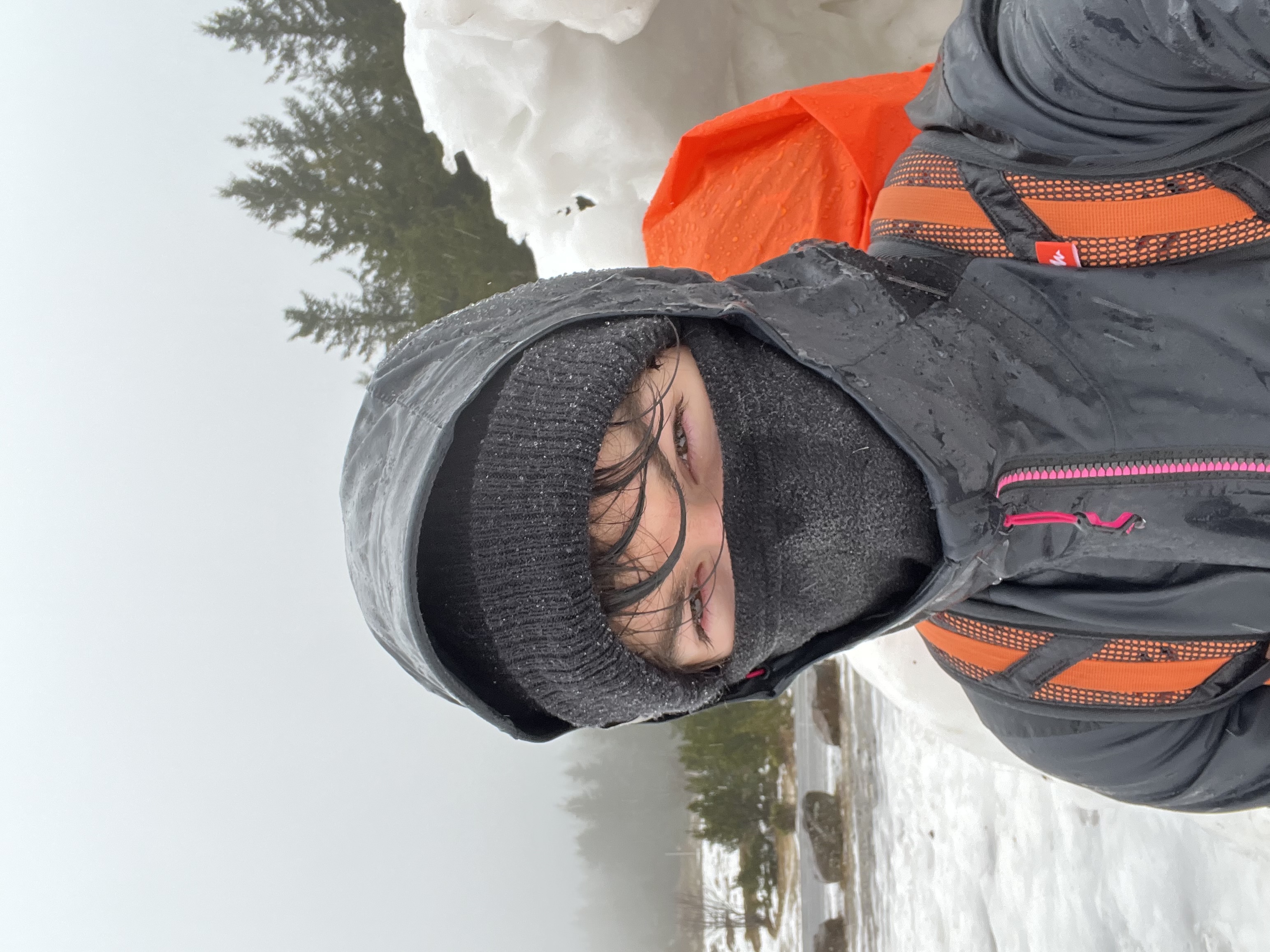
<p><em>Selfies from my pilgrimage <strong>#Lyon2Lourdes</strong>, the first part of my journey to Saint-James of Compostela, in the middle of winter 2023.</em></p>

<p>On March 14, 2023, after <strong>25 days of travel</strong> on the paths of Saint-James from the Fourvière basilica overlooking the city of Lyon, I finally reached Lourdes! What joy and what a welcome!</p>

<p>This day remains etched in my memory. I thank Jean-Louis Doux for his kindness, his advice, and his prayers.</p>

<p>Today, nearly a year and a half later, this memory is still vivid. From now on, on some virtual paths of the Web, is a small beacon towards this resting place for travelers: <a href="https://0nyr.github.io/la-ruche-lourdes/">La Ruche Lourdes website</a>.</p>]]></content><author><name>0nyr</name></author><category term="life" /><category term="meta" /><summary type="html"><![CDATA[New Website for “La Ruche”]]></summary></entry><entry><title type="html">Hello World!</title><link href="https://onyr.net/2024/08/10/hello-world.html" rel="alternate" type="text/html" title="Hello World!" /><published>2024-08-10T07:53:38+00:00</published><updated>2024-08-10T07:53:38+00:00</updated><id>https://onyr.net/2024/08/10/hello-world</id><content type="html" xml:base="https://onyr.net/2024/08/10/hello-world.html"><![CDATA[<h3 id="hello-world">Hello World!</h3>

<p>And so it begins…</p>

<p>Any good project needs to start somewhere, and a <code class="language-plaintext highlighter-rouge">Hello World!</code> is for sure a rightful way to do so. So here we are indeed.</p>

<p>Who knows where it will go from now.</p>]]></content><author><name>0nyr</name></author><category term="meta" /><summary type="html"><![CDATA[Hello World!]]></summary></entry><entry><title type="html">New website and Jekyll on NixOs</title><link href="https://onyr.net/2024/08/10/new-insalgo-website.html" rel="alternate" type="text/html" title="New website and Jekyll on NixOs" /><published>2024-08-10T07:53:38+00:00</published><updated>2024-08-10T07:53:38+00:00</updated><id>https://onyr.net/2024/08/10/new-insalgo-website</id><content type="html" xml:base="https://onyr.net/2024/08/10/new-insalgo-website.html"><![CDATA[<h3 id="i-made-a-new-website-for-my-programming-association">I made a new website for my programming association</h3>

<p>It is now time to unleash the new baby website of my programming association: <a href="https://insalgo.fr">insalgo.fr</a></p>

<p>This project is based on <a href="https://jekyllrb.com/">Jekyll</a>, a popular tool to generate static website, easy to learn and maintain, well integrated into GitHub in which members are already familiar, and extensively documented and adopted. It was thus the perfect tool for the job.</p>

<p>It took me around 5h to install and parameter Jekyll on my <a href="">NixOs-powered laptop</a>. After around 1 year on this amazing distro, I tend to be pretty effective when having to deal with software install. However, getting Jekyll to work on my dev environment was less easy that the widespreadness of this tool was hinting to me.</p>

<h3 id="making-jekyll-work-on-nixos">Making Jekyll work on NixOs</h3>

<p>First, I discovered not a single <code class="language-plaintext highlighter-rouge">flake.nix</code> file on the whole GitHub with Jekyll properly configured with a theme like Minima, since I was trying to follow the tutorial. So I had to make my own. Second, installing the package <code class="language-plaintext highlighter-rouge">minima</code> into <code class="language-plaintext highlighter-rouge">buildInputs</code> was not making this package discoverable for the bundler of <code class="language-plaintext highlighter-rouge">rubyPackages.jekyll</code>.</p>

<p>Following the tutorial for using Jekyll on the official website, I did:</p>
<ol>
  <li>Install <a href="https://jekyllrb.com/docs/installation/other-linux/">prerequisites</a>: Ruby, and Jekyll, from the <code class="language-plaintext highlighter-rouge">nixpkgs</code> store into my <code class="language-plaintext highlighter-rouge">flake.nix</code> of the project.</li>
  <li>Install Jekyll and Bundler gem: <code class="language-plaintext highlighter-rouge">gem install jekyll bundler</code></li>
  <li>Create a new Jekyll site using <code class="language-plaintext highlighter-rouge">jekyll new INSAlgo</code></li>
</ol>

<p>What I realized is that the bundler is actually breaking NixOs contained environments, by downloading its packages as gems directly instead of relying on NixOs internal packages. Since NixOs doesn’t follow Linux standard paths due to that containment, some paths are incorrectly setup and I kept having the following error, despite the package <code class="language-plaintext highlighter-rouge">minima</code> being properly installed on both NixOs internal store and ruby’s local one too.</p>

<p>A quick fix I did was finding this package, and adding a <code class="language-plaintext highlighter-rouge">shellHook</code> to my flake to manually <em>hard-code</em> the path, taking into account potential new versions. Yes, it’s clearly dirty, and not 100% reproducible. Yes, there is probably a better way to do so, but I already spent 2h on that problem and my goal was to make a website quickly, not spend all my time writing a perfect flake.</p>

<blockquote>
  <p>If you ever make a better <code class="language-plaintext highlighter-rouge">flake.nix</code> for Jekyll, I kindly invite you to do a PR on this repo with the updated flake.</p>
</blockquote>

<p>So here is the flake that made my Jekyll project works flawlessly:</p>

<div class="language-nix highlighter-rouge"><div class="highlight"><pre class="highlight"><code><span class="p">{</span>
  <span class="nv">description</span> <span class="o">=</span> <span class="s2">"Jekyll website template"</span><span class="p">;</span>

  <span class="nv">inputs</span> <span class="o">=</span> <span class="p">{</span>
    <span class="nv">nixpkgs</span><span class="o">.</span><span class="nv">url</span> <span class="o">=</span> <span class="s2">"github:NixOS/nixpkgs/nixpkgs-unstable"</span><span class="p">;</span>
    <span class="nv">flake-utils</span><span class="o">.</span><span class="nv">url</span> <span class="o">=</span> <span class="s2">"github:numtide/flake-utils"</span><span class="p">;</span>
  <span class="p">};</span>

  <span class="nv">outputs</span> <span class="o">=</span> <span class="p">{</span> <span class="nv">self</span><span class="p">,</span> <span class="nv">nixpkgs</span><span class="p">,</span> <span class="nv">flake-utils</span><span class="p">,</span> <span class="o">...</span> <span class="p">}:</span>
    <span class="nv">flake-utils</span><span class="o">.</span><span class="nv">lib</span><span class="o">.</span><span class="nv">eachDefaultSystem</span> <span class="p">(</span><span class="nv">system</span><span class="p">:</span>
      <span class="kd">let</span>
        <span class="nv">pkgs</span> <span class="o">=</span> <span class="nv">nixpkgs</span><span class="o">.</span><span class="nv">legacyPackages</span><span class="o">.</span><span class="p">${</span><span class="nv">system</span><span class="p">};</span>
        <span class="nv">minima</span> <span class="o">=</span> <span class="nv">pkgs</span><span class="o">.</span><span class="nv">rubyPackages</span><span class="o">.</span><span class="nv">minima</span><span class="p">;</span>
        <span class="nv">minimaVersion</span> <span class="o">=</span> <span class="kr">builtins</span><span class="o">.</span><span class="nv">getAttr</span> <span class="s2">"version"</span> <span class="nv">minima</span><span class="p">;</span>
        <span class="nv">minimaPath</span> <span class="o">=</span> <span class="s2">"</span><span class="si">${</span><span class="nv">minima</span><span class="si">}</span><span class="s2">/lib/ruby/gems/3.1.0/gems/minima-</span><span class="si">${</span><span class="nv">minimaVersion</span><span class="si">}</span><span class="s2">/_sass"</span><span class="p">;</span>
      <span class="kn">in</span>
      <span class="p">{</span>
        <span class="nv">formatter</span> <span class="o">=</span> <span class="nv">pkgs</span><span class="o">.</span><span class="nv">nixpkgs-fmt</span><span class="p">;</span>

        <span class="c"># development environment</span>
        <span class="nv">devShells</span><span class="o">.</span><span class="nv">default</span> <span class="o">=</span> <span class="nv">pkgs</span><span class="o">.</span><span class="nv">mkShell</span> <span class="p">{</span>
          <span class="nv">buildInputs</span> <span class="o">=</span> <span class="p">[</span>
            <span class="nv">pkgs</span><span class="o">.</span><span class="nv">ruby</span>
            <span class="nv">pkgs</span><span class="o">.</span><span class="nv">rubyPackages</span><span class="o">.</span><span class="nv">jekyll</span>
            <span class="nv">pkgs</span><span class="o">.</span><span class="nv">rubyPackages</span><span class="o">.</span><span class="nv">jekyll-sitemap</span>
            <span class="nv">minima</span>
          <span class="p">];</span>

          <span class="nv">shellHook</span> <span class="o">=</span> <span class="s2">''</span><span class="err">
</span><span class="s2">            if [ ! -d "</span><span class="si">${</span><span class="nv">minimaPath</span><span class="si">}</span><span class="s2">" ]; then</span><span class="err">
</span><span class="s2">              echo "Error: The SASS_PATH (</span><span class="si">${</span><span class="nv">minimaPath</span><span class="si">}</span><span class="s2">) does not exist."</span><span class="err">
</span><span class="s2">              exit 1</span><span class="err">
</span><span class="s2">            else</span><span class="err">
</span><span class="s2">              export SASS_PATH=</span><span class="si">${</span><span class="nv">minimaPath</span><span class="si">}</span><span class="err">
</span><span class="s2">            fi</span><span class="err">
</span><span class="s2">          ''</span><span class="p">;</span>
        <span class="p">};</span>

        <span class="nv">packages</span><span class="o">.</span><span class="nv">default</span> <span class="o">=</span> <span class="nv">pkgs</span><span class="o">.</span><span class="nv">stdenv</span><span class="o">.</span><span class="nv">mkDerivation</span> <span class="p">{</span>
          <span class="nv">name</span> <span class="o">=</span> <span class="s2">"jekyll-insalgo-website"</span><span class="p">;</span>
          <span class="nv">src</span> <span class="o">=</span> <span class="sx">./.</span><span class="p">;</span>
          <span class="nv">buildInputs</span> <span class="o">=</span> <span class="p">[</span>
            <span class="nv">pkgs</span><span class="o">.</span><span class="nv">ruby</span>
            <span class="nv">pkgs</span><span class="o">.</span><span class="nv">jekyll</span>
            <span class="nv">pkgs</span><span class="o">.</span><span class="nv">rubyPackages</span><span class="o">.</span><span class="nv">jekyll-sitemap</span>
          <span class="p">];</span>
          <span class="nv">buildPhase</span> <span class="o">=</span> <span class="s2">''</span><span class="err">
</span><span class="s2">            jekyll build</span><span class="err">
</span><span class="s2">          ''</span><span class="p">;</span>
          <span class="nv">installPhase</span> <span class="o">=</span> <span class="s2">''</span><span class="err">
</span><span class="s2">            cp -r _site $out</span><span class="err">
</span><span class="s2">          ''</span><span class="p">;</span>
        <span class="p">};</span>
      <span class="p">}</span>
    <span class="p">);</span>
<span class="p">}</span>
</code></pre></div></div>

<p>The exact problem here is that an environment variable for the theme is missing. Make sure to install the theme as a package, and set <code class="language-plaintext highlighter-rouge">SASS_PATH</code> accordingly, and adapt your <code class="language-plaintext highlighter-rouge">minimaPath</code> path to your own environment.</p>

<p><em>Informatiquement vôtre,</em></p>]]></content><author><name>0nyr</name></author><category term="tech" /><category term="meta" /><summary type="html"><![CDATA[I made a new website for my programming association]]></summary></entry><entry><title type="html">Nocturne Parure</title><link href="https://onyr.net/2020/01/01/nocturne-parure.html" rel="alternate" type="text/html" title="Nocturne Parure" /><published>2020-01-01T10:00:00+00:00</published><updated>2020-01-01T10:00:00+00:00</updated><id>https://onyr.net/2020/01/01/nocturne-parure</id><content type="html" xml:base="https://onyr.net/2020/01/01/nocturne-parure.html"><![CDATA[<p><em>Poème composé en 2019–2020. Repris de la toute première version de onyr.net.</em></p>

<div class="poem" lang="fr">
L'immense ballet des astres bat la mesure.<br />
Par milliers les étoiles s'enfoncent dans le noir azur,<br />
Aspirées par la profonde avancée des ténèbres<br />
Qui telle une armée d'ombre, étend son voile funèbre.<br />
Les étoiles embrassent la nue puis embrasent l'horizon.<br />
L'esprit emporte ses songes en quittant sa prison.<br />
Le voyageur est seul dans l'encre de la nuit.<br />
Le monde sublunaire subjugué et engourdi<br />
Abandonne à l'arpenteur sa magnificence.<br />
Le marcheur nocturne contemple la prestance,<br />
La resplendiscence colossale et terrible<br />
Du cosmos fantastique mais inaccessible.<br />
De partout des corps célestes brillent et dérivent.<br />
Et nombres de merveilles dans le ciel s'écrivent.<br />
S'offrant en spectacle au regard observateur<br />
Qui accompagne le chemin du voyageur.
</div>]]></content><author><name>0nyr</name></author><category term="art" /><summary type="html"><![CDATA[Poème composé en 2019–2020. Repris de la toute première version de onyr.net.]]></summary></entry><entry><title type="html">Les mots et les maux</title><link href="https://onyr.net/2019/09/14/les-mots-et-les-maux.html" rel="alternate" type="text/html" title="Les mots et les maux" /><published>2019-09-14T10:00:00+00:00</published><updated>2019-09-14T10:00:00+00:00</updated><id>https://onyr.net/2019/09/14/les-mots-et-les-maux</id><content type="html" xml:base="https://onyr.net/2019/09/14/les-mots-et-les-maux.html"><![CDATA[<p><em>Poème du 14 septembre 2019. Repris de la toute première version de onyr.net.</em></p>

<div class="poem" lang="fr">
Les mots comme l'eau s'écoulent en flots<br />
Qui bientôt emporte à l'horizon des lots<br />
De sentiments fugaces<br />
Les mots de nouveaux coulent en larmes<br />
Sur les lames des héros sans autre arme<br />
Qu'un encrier sagace<br />
Les mots sont tour-à-tour et le feu et le sang<br />
Qui animent les lourds engrenages d'argent<br />
De l'esprit d'audace<br />
Les mots sont comme les précieuses pierreries<br />
Comme les couleurs éthérées et fleuries<br />
Des paroles qui s'effacent<br />
Les mots sont comme une peau pour les pensées<br />
Qui parfois rayonnement et parfois sont ombragés<br />
De douleurs qui font surface<br />
<br />
Les maux sont pour les mots un terreau fertile<br />
Les mots sont pour les maux un remède utile<br />
Ainsi les maux par les mots trouvent une fin subtile<br />
Il est un maux pour les mots de les trouver futiles<br />
<br />
Les maux des mots enfin sont la pensée unique<br />
Car en l'esprit ne peut soir que la liberté stoïque<br />
Les mots parfois sont si violent qu'ils sont funestes<br />
Mais les mots sont si beau qu'ils touchent la voûte céleste
</div>]]></content><author><name>0nyr</name></author><category term="art" /><summary type="html"><![CDATA[Poème du 14 septembre 2019. Repris de la toute première version de onyr.net.]]></summary></entry><entry><title type="html">Salutation… Mon nom est Onyr</title><link href="https://onyr.net/2019/01/01/salutation-mon-nom-est-onyr.html" rel="alternate" type="text/html" title="Salutation… Mon nom est Onyr" /><published>2019-01-01T10:00:00+00:00</published><updated>2019-01-01T10:00:00+00:00</updated><id>https://onyr.net/2019/01/01/salutation-mon-nom-est-onyr</id><content type="html" xml:base="https://onyr.net/2019/01/01/salutation-mon-nom-est-onyr.html"><![CDATA[<p><em>Poème de présentation d’Onyr, mon nom de plume. Repris de la toute première version de onyr.net (non daté ; placé au début du parcours).</em></p>

<div class="poem" lang="fr">
Salutation chaleureuse, voyageur. Mon nom est Onyr.<br />
Je suis le gardien de ces territoires chargés de souvenirs<br />
De multiples magies tumultueuses et d'orages lyriques impétueux.<br />
La brise avide des temps m'impose d'un ton orgueilleux<br />
De poursuivre partout la route à travers l'imaginaire,<br />
Dans un monde où guerre, indifférence, cruauté, misère<br />
Trônent en tout lieu, et s'imposent en sombre majesté.<br />
Une infinité de création se présente en refuge éclairé<br />
Aux affres de l'humanité de même qu'un moyen salvateur<br />
Pour effacer les erreurs ainsi que fédérer les coeurs.<br />
L'imagination, remède de l'ennui et repos de l'esprit,<br />
Originaire de la sagesse et issue du sublime de la vie<br />
Qu'elle révère, elle est l'arme du changement et vision d'avenir<br />
Lorsque la liberté faiblit face aux noirs méandres du futur.<br />
C'est l'outils parfait pour aider le monde à ma mesure.
</div>]]></content><author><name>0nyr</name></author><category term="art" /><summary type="html"><![CDATA[Poème de présentation d’Onyr, mon nom de plume. Repris de la toute première version de onyr.net (non daté ; placé au début du parcours).]]></summary></entry></feed>